How to Prepare Your Books: A Simple Guide for Small Businesses
Learn how to prepare your books with 7 practical steps to organise financial records, reconcile accounts and get your business ready for your accountant.

Preparing your books for your accountant doesn’t have to be stressful. Whether you’re getting ready for your year-end accounts, a VAT return or a regular financial review, keeping your financial records organised can save time, reduce errors and make the whole process much smoother.
For small business owners, it can be tempting to leave everything until the last minute. However, spending a little time keeping your accounts up to date throughout the year can make a big difference.
Many of these tasks can be completed directly in QuickBooks Online. Here are seven practical steps to help you get your books ready for your accountant.
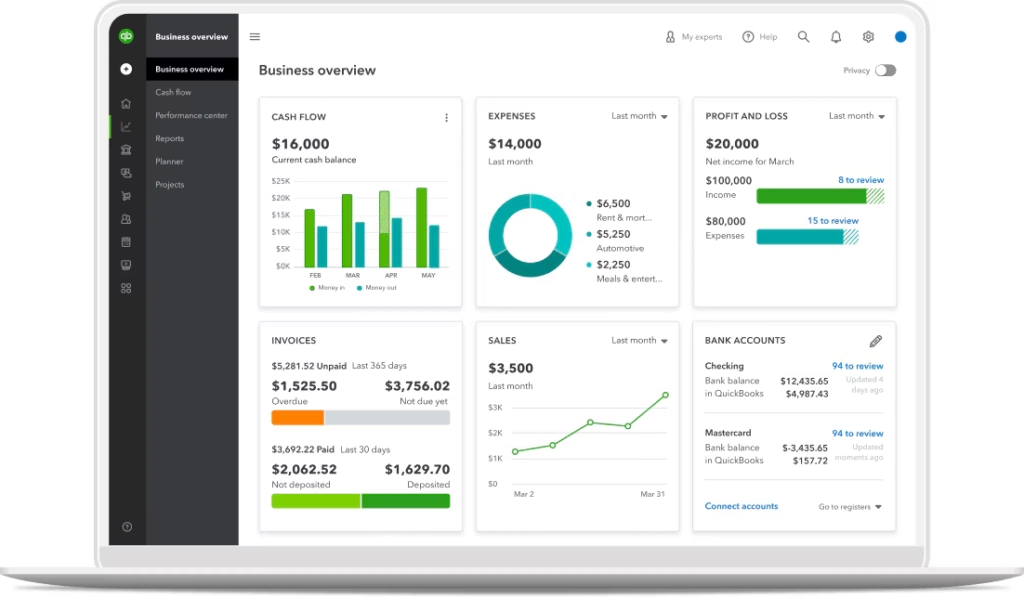
Start by checking that all your business income and expenses have been recorded in QuickBooks Online.
Review your bank transactions and make sure that sales, supplier payments, business expenses and other financial movements have been entered correctly.
In QuickBooks Online, connect your business bank account and review the transactions that have been imported. Make sure each transaction is categorised correctly and avoid leaving any unexplained items in your banking feed.
Tip: Don’t assume that every transaction appearing in your bank account has been recorded correctly. Take time to review the details before confirming them.
Bank reconciliation is one of the most important steps in preparing your books.
Compare the balances in your accounting software with your actual bank and credit card statements. Investigate any differences and check for missing transactions, duplicate entries or payments that have been recorded incorrectly.
If your business uses multiple bank accounts or credit cards, make sure each one is reviewed.
Regular reconciliation helps identify problems early and gives your accountant greater confidence that your financial records are accurate.
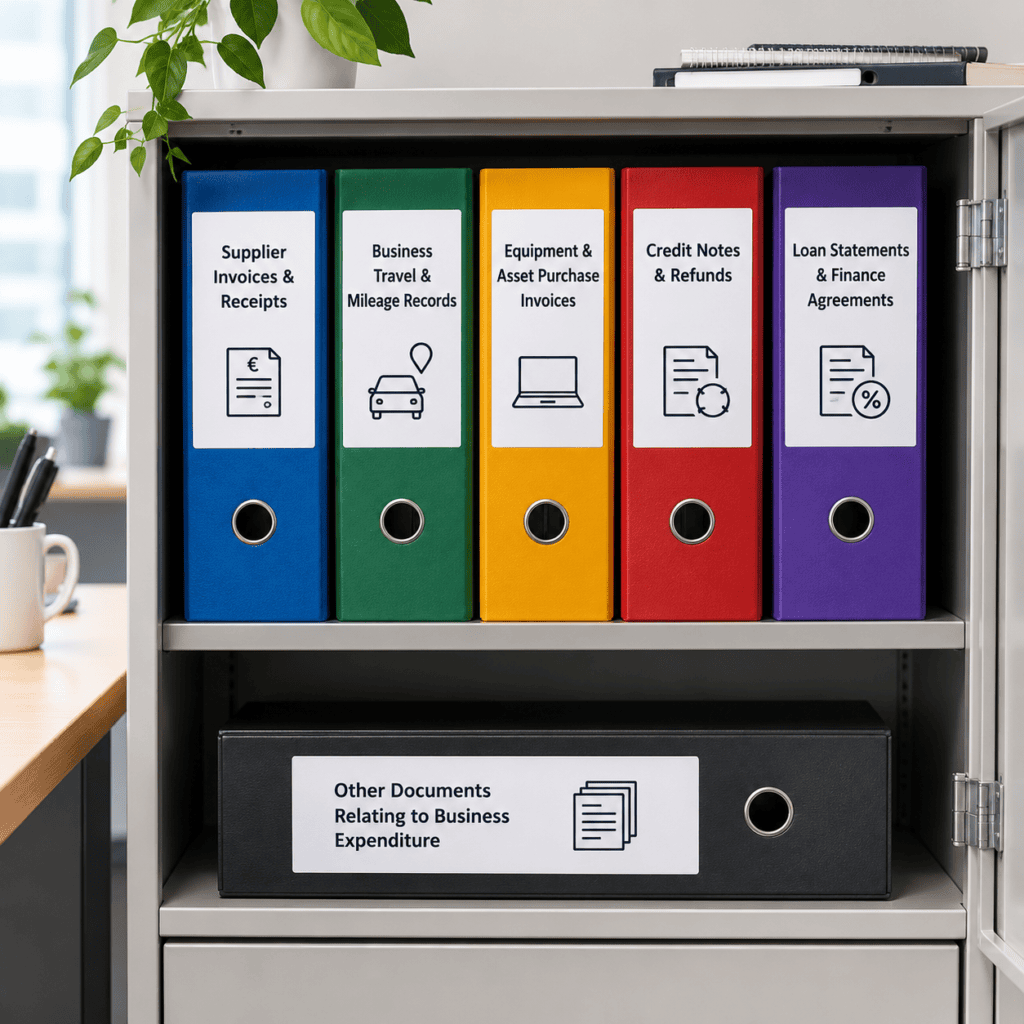
Your accountant may need supporting documentation to verify business expenses and prepare accurate accounts. Make sure you keep copies of supplier invoices and receipts, business travel and mileage records, equipment and asset purchase invoices, credit notes and refunds, loan statements, finance agreements and any other documents relating to business expenditure.
Keep your records organised throughout the year and make sure the purpose of any unusual or significant expenses is clear. This will help your accountant review your records and resolve any queries more easily.
QuickBooks Online allows you to attach receipts and supporting documents directly to transactions, making it easier to find the information you need. Remember that a bank payment alone may not be sufficient evidence of a business expense, so always keep the relevant invoices, receipts and supporting records.
Review your sales invoices to make sure they have been recorded correctly and reflect the income your business has earned.
Pay particular attention to outstanding invoices. Are customers late paying? Have any invoices been paid but are still showing as outstanding in your software? Are there credit notes or refunds that need to be recorded?
Your accountant may also need information about debts that are unlikely to be recovered.
Keeping your accounts receivable up to date gives you a clearer picture of your cash flow and helps your accountant understand the financial position of your business.
If your business is VAT-registered, make sure your sales and purchases have been recorded using the appropriate VAT codes.
Check that relevant VAT invoices and receipts are available, and review any transactions that may need special attention, such as purchases from suppliers outside Ireland, EU transactions or reverse-charge VAT.
Keep copies of relevant VAT records and details of VAT returns already submitted.
If you are unsure how a transaction should be treated, flag it for your accountant rather than guessing. Getting the VAT codes right helps reduce the risk of errors in your VAT returns.
Your accountant may also need details of payroll, business loans, equipment purchases, stock, cash payments and any personal funds used for business expenses.
Make sure these transactions are recorded accurately and clearly explained to help your accountant prepare your accounts and resolve any queries.
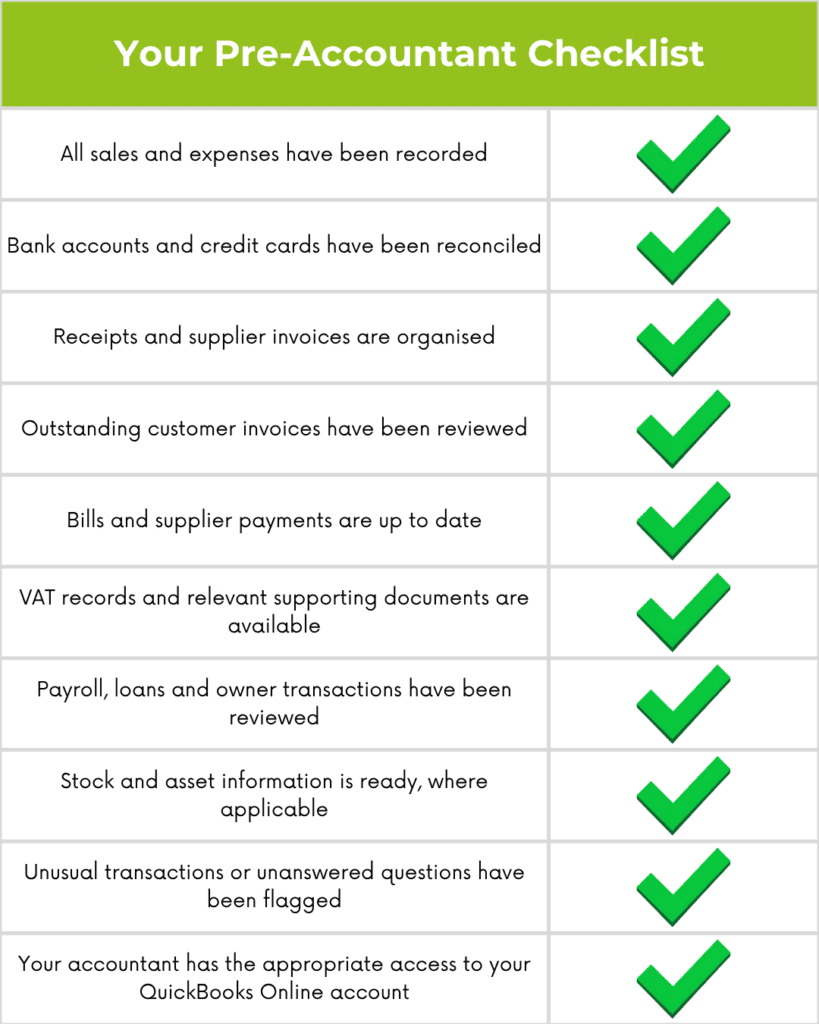
Before handing over your books, spend a few minutes reviewing your QuickBooks Online file.
Check that your bank accounts have been reconciled, transactions are categorised, invoices and bills are up to date, and relevant documents are attached.
Look for duplicate transactions, unexplained balances and items that have been left uncategorised.
You can also review key reports, such as your Profit and Loss, Balance Sheet and Accounts Receivable Ageing report. These reports can help you spot unusual figures or outstanding items that need attention.
If your accountant uses QuickBooks Online, make sure they have the appropriate access to your company file.
QuickBooks Online helps you manage income, expenses, invoices and financial records throughout the year, making it easier to keep your books organised and up to date. By maintaining accurate records, you can save time at year-end and make preparing your accounts much more straightforward.
At Accountancy Software, we help you choose the right QuickBooks Online package for your business needs. We also provide software setup and training to help you understand the features relevant to your business, use the software confidently and get the most from your subscription.
Learn how to prepare your books with 7 practical steps to organise financial records, reconcile accounts and get your business ready for your accountant.
Follow these month-end bookkeeping tips to track cash flow, reconcile accounts, manage invoices and keep your business finances organised.
Avoid common bookkeeping mistakes small businesses make. Learn how to keep accurate records, manage invoices, VAT and cash flow with QuickBooks Online.
| Cookie | Duration | Description |
|---|---|---|
| cookielawinfo-checkbox-analytics | 11 months | This cookie is set by GDPR Cookie Consent plugin. The cookie is used to store the user consent for the cookies in the category "Analytics". |
| cookielawinfo-checkbox-functional | 11 months | The cookie is set by GDPR cookie consent to record the user consent for the cookies in the category "Functional". |
| cookielawinfo-checkbox-necessary | 11 months | This cookie is set by GDPR Cookie Consent plugin. The cookies is used to store the user consent for the cookies in the category "Necessary". |
| cookielawinfo-checkbox-others | 11 months | This cookie is set by GDPR Cookie Consent plugin. The cookie is used to store the user consent for the cookies in the category "Other. |
| cookielawinfo-checkbox-performance | 11 months | This cookie is set by GDPR Cookie Consent plugin. The cookie is used to store the user consent for the cookies in the category "Performance". |
| viewed_cookie_policy | 11 months | The cookie is set by the GDPR Cookie Consent plugin and is used to store whether or not user has consented to the use of cookies. It does not store any personal data. |