10 Common Bookkeeping Mistakes Small Businesses Make
Avoid common bookkeeping mistakes small businesses make. Learn how to keep accurate records, manage invoices, VAT and cash flow with QuickBooks Online.

The mistake:
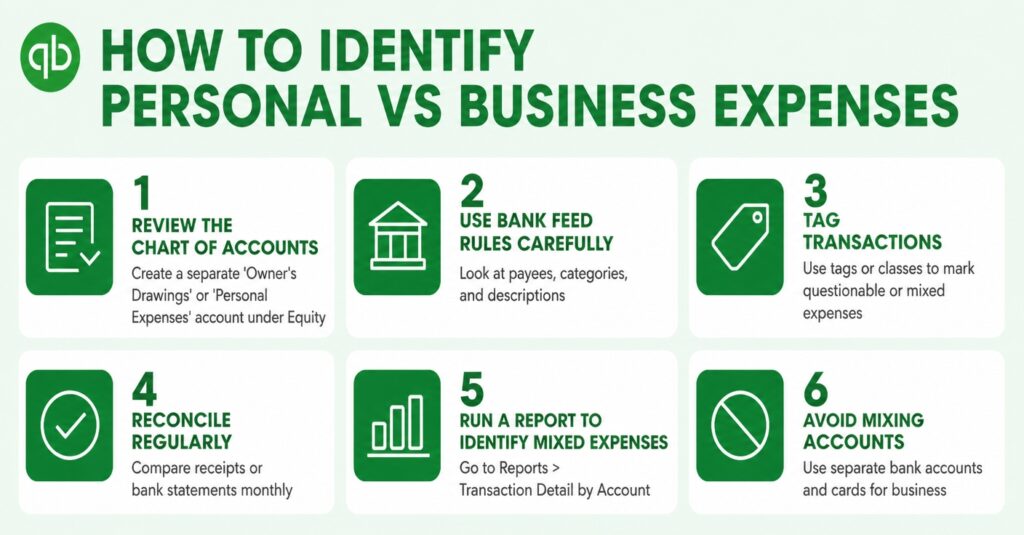
Using a personal bank account or card for business purchases makes it difficult to identify genuine business expenses and maintain accurate records.
How QuickBooks can help:
QuickBooks Online allows businesses to connect their business bank accounts and credit cards, making it easier to bring transactions into one place and categorise business expenses correctly.
Pro tip: Keep business and personal finances separate from day one.
The mistake:
Some business owners assume that because transactions appear in their accounting software, their books must be correct. Without regular reconciliation, errors, duplicate transactions and missing entries can go unnoticed.
How QuickBooks can help:
QuickBooks Online can connect directly to your bank and automatically stream transactions into the system. Bank reconciliation helps you compare your QuickBooks records against your actual bank activity.
Pro tip: Don’t just record transactions. Check that your books match your bank.
The mistake:
Doing months of bookkeeping at once can lead to missing receipts, forgotten invoices and inaccurate records.
How QuickBooks can help:
QuickBooks Online keeps your financial information in the cloud, allowing you to record transactions, create invoices, capture receipts and review your accounts throughout the year.
Pro tip: Regular bookkeeping is much easier than trying to catch up months later.
The mistake:
Paper receipts get lost, emails get missed, and expenses can be hard to track, especially when multiple employees make purchases.
How QuickBooks can help:
QuickBooks provides tools for recording expenses and attaching receipts to transactions. Its mobile app also makes it possible to capture financial information while you’re away from the office.
Pro tip: Capture expenses when they happen rather than trying to reconstruct them later.
The mistake:
Small businesses sometimes complete the work but delay sending the invoice. This can unnecessarily delay payment and make cash flow harder to manage.
How QuickBooks can help:
QuickBooks Online allows businesses to create and send professional invoices, track their status and monitor outstanding amounts.
Pro tip: The sooner you invoice, the sooner you can start the payment process.
The mistake:
Creating an invoice is only the first step. If overdue invoices aren’t monitored, businesses can end up waiting weeks or months for money they are already owed.
How QuickBooks can help:
QuickBooks Online provides accounts receivable reports and allows businesses to see which invoices are outstanding and overdue.
Pro tip: Keep an eye on who owes you money and when payment is due.
The mistake:
Incorrectly categorising transactions can make financial reports misleading and may create additional work when preparing accounts or tax returns.
How QuickBooks can help:
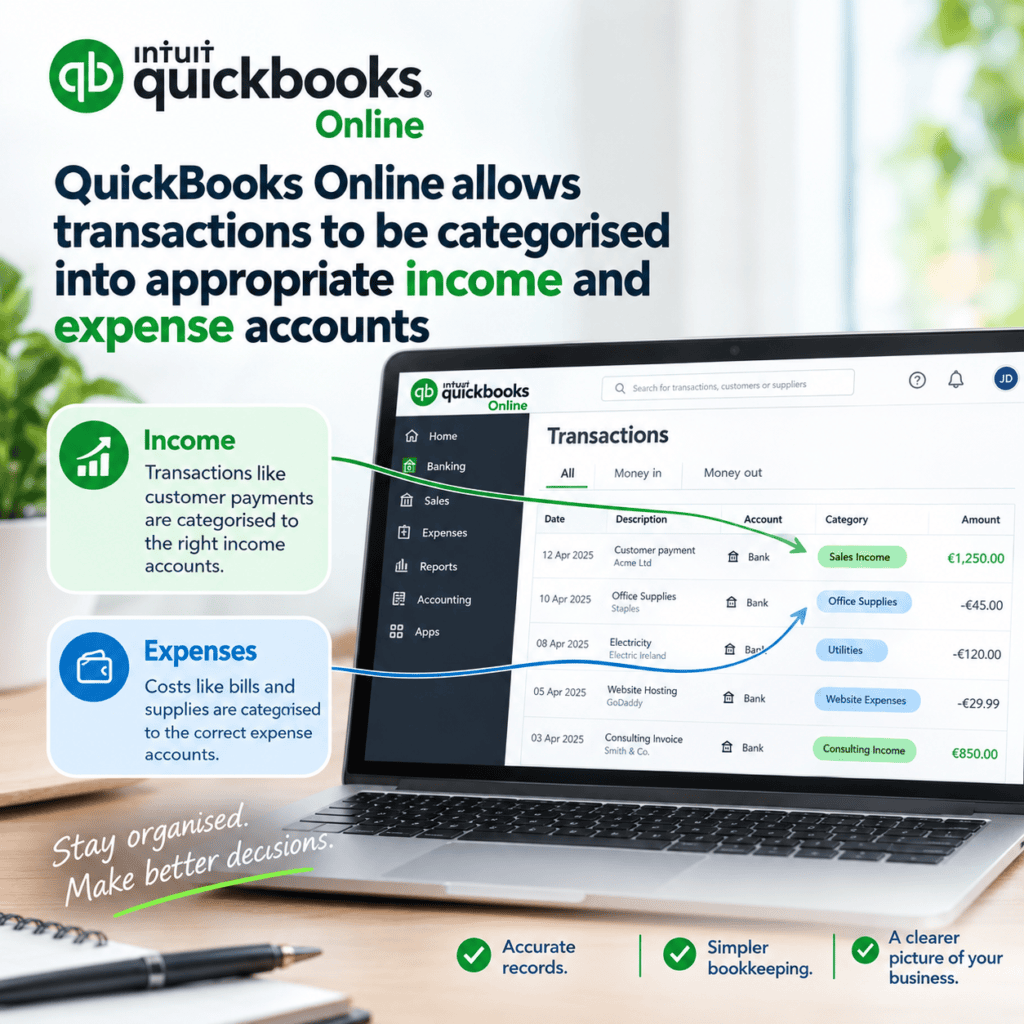
QuickBooks Online allows transactions to be categorised into appropriate income and expense accounts. Regularly reviewing your bank transactions and categories can help keep your records organised.
Pro tip: Accurate categorisation is essential for meaningful financial reports.
The mistake:
Leaving VAT records until the last minute can create unnecessary pressure and make it harder to identify errors.
How QuickBooks can help:
QuickBooks Online can help businesses track VAT-related transactions and prepare VAT information throughout the accounting period, rather than trying to work everything out at the deadline.
Pro tip: VAT should be managed continuously, not just when a return is due.
The mistake:
Businesses can underestimate the importance of protecting their financial information. Losing access to important records can cause serious disruption.
How QuickBooks can help:
Because QuickBooks Online is cloud-based, financial information is stored online rather than relying solely on a computer or local hard drive. Businesses can also control user access and permissions depending on their subscription.
Pro tip: Your bookkeeping shouldn’t depend on one computer in the office.
The mistake:
Some business owners treat bookkeeping as something they do only for tax purposes. As a result, they don’t use their financial information to understand how the business is performing.
How QuickBooks can help:
QuickBooks Online provides reports such as Profit & Loss, Balance Sheet, Cash Flow and Accounts Receivable reports. These can help business owners understand income, expenses, outstanding invoices and their overall financial position.
Pro tip: Bookkeeping isn’t just about recording the past. It gives you information to make better business decisions.
QuickBooks Online can help small businesses organise their finances, automate routine tasks, keep better records and get a clearer picture of how their business is performing.
The key to good bookkeeping is consistency. Keeping your records up to date can make it easier to manage cash flow, monitor unpaid invoices, prepare for VAT and tax deadlines and understand the financial position of your business.
If you are spending too much time on bookkeeping or are unsure whether your accounts are being managed correctly, professional support can help.
Avoid common bookkeeping mistakes small businesses make. Learn how to keep accurate records, manage invoices, VAT and cash flow with QuickBooks Online.
Learn the bookkeeping basics for small businesses, from Profit & Loss and Balance Sheets to bank reconciliation, expenses and QuickBooks.
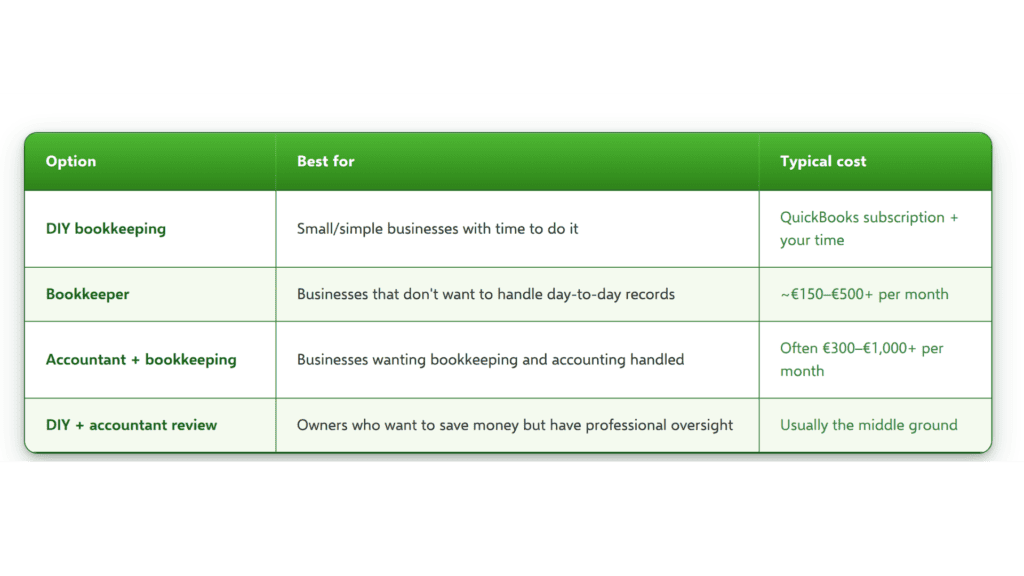
How much does bookkeeping cost in Ireland? Explore typical prices, what affects the cost and how QuickBooks Online could help reduce expenses.
| Cookie | Duration | Description |
|---|---|---|
| cookielawinfo-checkbox-analytics | 11 months | This cookie is set by GDPR Cookie Consent plugin. The cookie is used to store the user consent for the cookies in the category "Analytics". |
| cookielawinfo-checkbox-functional | 11 months | The cookie is set by GDPR cookie consent to record the user consent for the cookies in the category "Functional". |
| cookielawinfo-checkbox-necessary | 11 months | This cookie is set by GDPR Cookie Consent plugin. The cookies is used to store the user consent for the cookies in the category "Necessary". |
| cookielawinfo-checkbox-others | 11 months | This cookie is set by GDPR Cookie Consent plugin. The cookie is used to store the user consent for the cookies in the category "Other. |
| cookielawinfo-checkbox-performance | 11 months | This cookie is set by GDPR Cookie Consent plugin. The cookie is used to store the user consent for the cookies in the category "Performance". |
| viewed_cookie_policy | 11 months | The cookie is set by the GDPR Cookie Consent plugin and is used to store whether or not user has consented to the use of cookies. It does not store any personal data. |